How to Turn Your Birth Chart into AI Art: Prompts for Images and Videos
Sun-sign prompts all produce the same clichés. Here is how to turn your Sun, Moon and Rising sign into a visual brief for AI images and short videos — walked through on one real chart.
Written by AstroChart Team
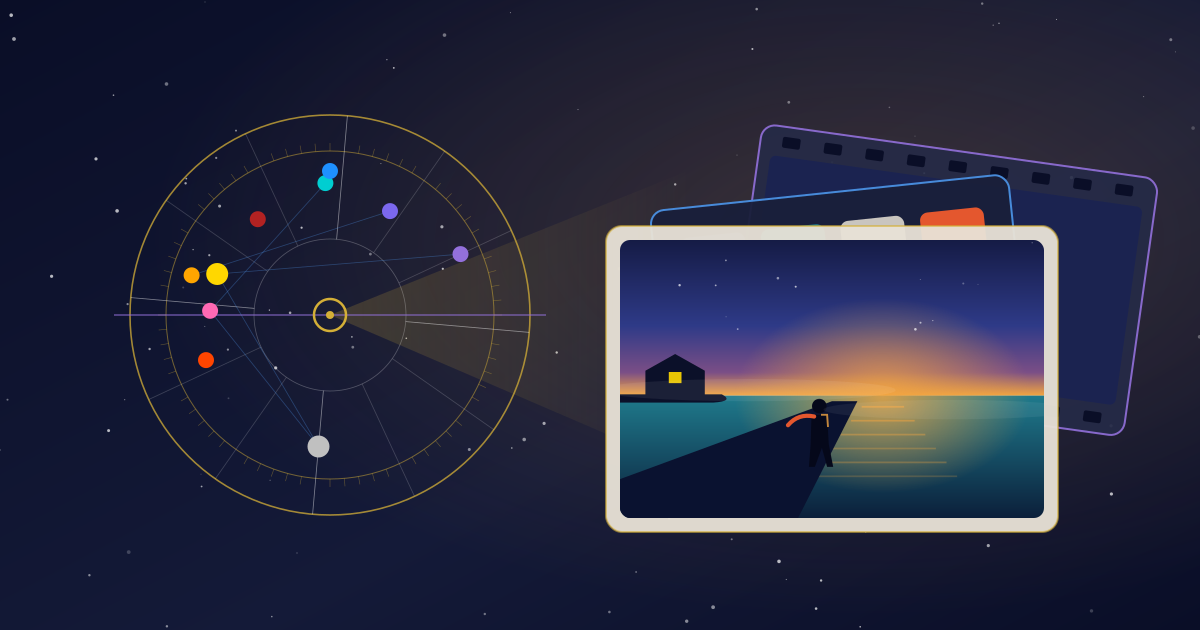
Type “Scorpio aesthetic” into any AI image generator and you get the picture everyone else gets: a scorpion, a dark red palette, perhaps a figure in black lace. It is not wrong. It just is not you — roughly one person in twelve shares your Sun sign, and the model has seen millions of images tagged with it.
Your birth chart holds far more specific material than that. The Sun, the Moon and the Rising sign alone make 1,728 possible combinations before a single other planet is added, and each one translates into a different picture: a different subject, a different light, a different place to stand. The trick is to stop naming signs and start describing them — turning the chart into a visual brief a generator can actually follow.
This guide gives you that method: a three-layer framework for still images, a colour palette for each element, a visual vocabulary for all twelve signs, and a set of motion rules for turning the image into a short video. Then it walks one real chart all the way from planetary positions to a finished prompt.
Why Zodiac AI Art Prompts All Look the Same
Image models learn from captioned pictures. When you write a sign name, the model reaches for the images that most often carried that caption — which means mascots, glyphs and the stock colour scheme. “Leo” returns a lion with a golden mane. “Pisces” returns two fish circling each other. The result looks like a greeting card because that is mostly what the training data was.
Three habits make it worse:
- Naming the sign instead of its qualities. The word pulls the cliché; the description pulls the mood.
- Using the Sun sign alone. It is the most widely shared part of the chart, so it carries the least personal information.
- Asking the model to “read” a birth date. No image generator calculates planetary positions. Give it a date and it guesses at a vibe.
The fix is to do the astrology first, outside the generator, and hand the generator only what it is good at: subjects, light, colour, setting and movement.
What You Need From Your Chart
Five pieces of information carry almost all of the visual weight. You can read every one of them off a free birth chart:
- Sun sign — the subject of the picture and its main light source.
- Moon sign — the atmosphere: how the picture feels, and how fast a video version should move.
- Rising sign — the setting and the framing: where the viewer stands. This one needs your birth time; the Big Three calculator returns your Sun, Moon and Rising together.
- Venus sign — the finish: texture, ornament and what counts as beautiful to you. The Venus sign calculator works from a birth date alone.
- Dominant element — the colour family. Count the elements among your Sun, Moon, Rising, Mercury, Venus and Mars; the element that turns up most often sets the palette.
Don’t know your birth time? Skip the Rising layer and choose a setting from the Moon instead. The method still works — you lose the framing, not the picture.
The Three-Layer Method
A good image has a subject, an atmosphere and a point of view. Your Big Three happen to supply exactly those, one each.
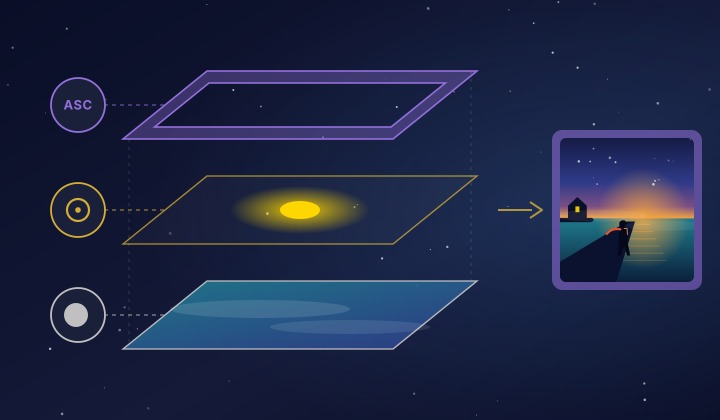
The Sun: what the picture is about
The Sun is the subject and the brightest thing in the frame. An Aries Sun gives you a figure in motion or a first spark; a Taurus Sun gives you something heavy, ripe and still. Whatever the Sun suggests goes at the centre of the composition and catches the key light.
The Moon: how the picture feels
The Moon sets the emotional temperature — the weather, the time of day, the warmth or coolness of the shadows. It is the most personal of the three layers, and the one people leave out most often. A Leo Sun with a Cancer Moon is a spotlight on a stage at night; the same Sun with a Capricorn Moon is first light on a mountain.
The Rising sign: where the viewer stands
The Ascendant is the first impression in astrology, and in an image it becomes the doorway: the setting around the subject, the lens, the angle. A Sagittarius Rising pulls the camera wide toward a horizon; a Scorpio Rising puts the viewer in a doorway, half in shadow.
Venus is an optional fourth layer. Rather than adding anything new to the scene, it decides the finish — painted or photographic, gilded or raw, ornate or bare.
Choose a Palette From Your Dominant Element
Colour is where most chart-inspired art goes vague. Tie it to the element that dominates your chart and it stops being a guess.
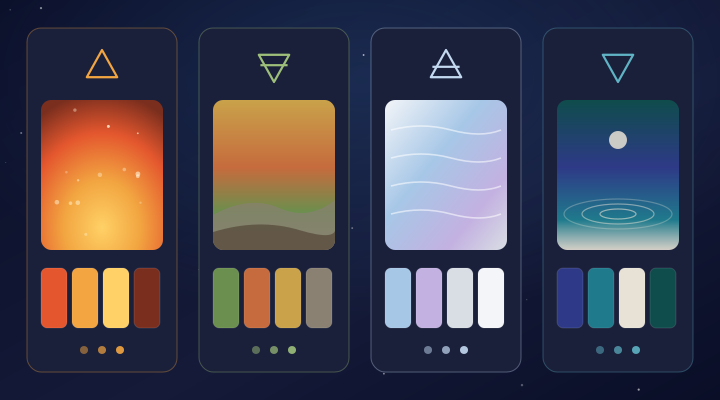
- Fire (Aries, Leo, Sagittarius) — vermilion, amber, gold and ember brown. High contrast, backlit, warm highlights.
- Earth (Taurus, Virgo, Capricorn) — moss, terracotta, ochre and stone. Soft daylight and surfaces you could touch.
- Air (Gemini, Libra, Aquarius) — pale sky, lilac, silver and mist white. High-key light and plenty of empty space.
- Water (Cancer, Scorpio, Pisces) — indigo, teal, pearl and deep sea green. Low-key light and reflective surfaces.
If your Sun belongs to a different element from the dominant one, use the Sun’s element as a single accent. One fire-coloured detail in a watery picture is the chart’s tension made visible.
A Visual Vocabulary for All 12 Signs
Use this table to translate each placement into words a generator understands. Take the imagery for whichever role the sign plays in your chart — subject for the Sun, atmosphere for the Moon, setting for the Rising sign — and the motion column when you move on to video.
| Sign | Imagery | Light & texture | Motion (video) |
|---|---|---|---|
| Aries | a first spark, a figure mid-stride, red rock at dawn | hard rim light, sparks, rough-cut edges | a sudden burst, a quick push-in |
| Taurus | a heavy bloom, ripe fruit, a walled garden after rain | golden late afternoon, velvet, clay, moss | almost still; slow time-lapse growth |
| Gemini | mirrored pairs, paper birds, a busy arcade, open books | dappled and flickering, two light sources | darting, playful sideways moves |
| Cancer | a lit window, a harbour at dusk, a shell, cupped hands | moonlight, pearl, a soft vignette | a slow tide, a gentle sway |
| Leo | one figure in full sun, a stage, palace steps | warm gold key light, lens bloom, gilded surfaces | a slow, regal orbit around the subject |
| Virgo | hands at work, drying herbs, a greenhouse, a harvest field | clean north light, linen, fine detail | a precise slow slide, focus pulling onto one detail |
| Libra | two figures in balance, a symmetrical arch, a formal garden | soft diffused light, pastels, mirrored composition | a smooth, centred glide with nothing off-axis |
| Scorpio | a figure half in shadow, a black lake, a door with light behind it | chiaroscuro, low-key light, wet surfaces | a slow creep forward, light emerging from darkness |
| Sagittarius | a traveller, an arrow in flight, an open road, a map table | big sky, warm haze, wide angle | a long tracking shot toward the horizon |
| Capricorn | a stone stairway, a mountain tower, a climber at altitude | cold clear light, granite, long shadows | a steady upward tilt, slow and deliberate |
| Aquarius | a field of lights, an unusual machine, a figure on an observatory roof | electric blue, cool neon, a high vantage point | an overhead drift from an unexpected angle |
| Pisces | a figure dissolving into mist, a boat on still water, a shoreline at blue hour | soft focus, watercolour bleed, iridescence | a floating drift, a slow dissolve |
Notice what is missing: no animals, no glyphs, no constellations. Add them back only if you actually want a symbol in the picture.
Worked Example: One Real Chart
Here is the method applied end to end. The chart belongs to someone born on 9 April 1992 at 06:30 in Barcelona:
- Sun at 19° Aries, in the first house — born in the hour before sunrise
- Moon at 3° Cancer
- Rising sign at 25° Pisces
- Venus at 2° Aries
- Dominant element: water (Moon, Rising, Mercury and Mars), with the Sun and Venus in fire
Built one layer at a time:
- Subject (Aries Sun): a lone figure mid-stride, caught by the first hard light of the day.
- Atmosphere (Cancer Moon): a harbour, a single lit window behind the figure, pearl light.
- Frame (Pisces Rising): sea mist, blue hour, soft focus on everything except the figure.
- Finish (Aries Venus): bold rather than delicate — one vivid red accent.
- Palette (water with a fire accent): indigo, teal and pearl, with vermilion as the single accent.
Put together:
Paste the brief into an AI image and video generator such as AnyScene and generate four or five variations before you change a word. Keep the one that feels most like the chart, not the prettiest one — the next step builds on it.
Notice how much the Moon and the Rising sign change the result. With the Aries Sun alone you would get a warrior, a ram or a burst of flame. With them, you get a person at the edge of the sea about to step into the day — a far better description of this particular chart.
From Still Image to Video
A clip needs one more decision than an image: what moves, and how. The chart answers that too, with three simple rules.
- The Moon sets the tempo. Water and earth Moons move slowly; fire and air Moons can carry quicker motion.
- The Rising sign sets the camera. Use the motion column from the table: a Pisces Rising floats, a Capricorn Rising tilts steadily upward, a Sagittarius Rising tracks toward the horizon.
- The Sun is the one thing that changes. Over the length of the clip the subject does a single thing: the light breaks, the figure steps forward, the bloom opens.
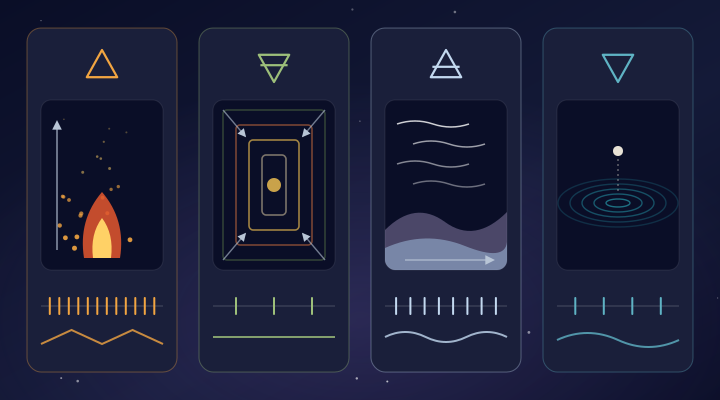
For the example chart, the video brief becomes:
Two habits make chart videos far more consistent. First, if your tool offers image-to-video, animate the still you already chose rather than generating motion from text alone — the look stays put. Second, keep each clip to one movement and five to eight seconds. A chart is better told in several short clips than in one long one.
Postcards From Your Power Lines
Astrocartography adds one more ingredient: place. Your astrocartography map shows where each planet sat on an angle at the moment you were born, and those lines make excellent subjects for a vision board — especially before a trip or a move.
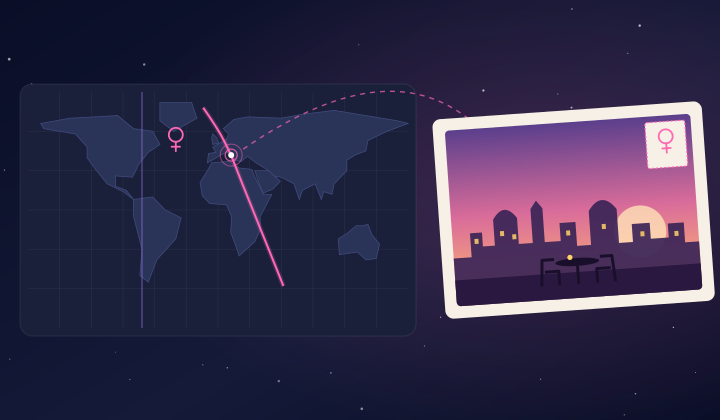
Pick a city close to one of your lines and blend the place with the planet’s mood:
- Venus line: rose-gold evening light, gardens, cafés, two chairs at a small table.
- Jupiter line: wide vistas, festivals, an open road out of town.
- Sun line: a bright square at noon, with you at the centre of it.
- Moon line: harbours, kitchens and lit windows at night.
Keep the city’s real architecture in the prompt and let the planet change only the light and the activity. If you are weighing an actual move, the relocation chart shows how your houses shift in that city — useful for deciding whether the postcard is a holiday or a home.
Five Prompt Mistakes That Flatten Your Chart
1. Putting the glyph or the animal in the prompt
Unless you want a symbol, leave it out. A ram in the frame turns a portrait of a temperament into a mascot.
2. Stacking every planet
Ten placements in one prompt produce mud. Three layers plus Venus is the ceiling; everything else belongs in a different image.
3. Writing sign names instead of descriptions
“Pisces rising” pulls the cliché. “Sea mist, blue hour, soft focus” pulls the picture.
4. Leaving out the Moon
The Sun-only version of a chart is the version everyone born in the same month shares. The Moon is what makes the image personal.
5. Rewriting the prompt between image and video
Change only the motion sentence. If you change the subject, the light and the palette as well, the clip stops looking like the same chart.
Frequently Asked Questions
Can an AI image generator read my birth chart for me?
No. Image and video models do not calculate where the planets were; given a birth date, they produce a generic mood. Calculate the chart first, then hand the generator the description — subject, atmosphere, setting and palette.
Do I need my exact birth time?
Only for the Rising layer and house placements. The Sun and Venus can be read from your birth date alone, and usually the Moon can too — unless it changed sign on your birthday, which is possible because it moves into a new sign roughly every two and a half days.
What is the best prompt for zodiac AI art?
One that describes qualities instead of naming signs: a subject from your Sun, an atmosphere from your Moon, a setting from your Rising sign and a palette from your dominant element. The worked example above is a template you can adapt line by line.
How do I turn a zodiac image into a video?
Keep the image prompt exactly as it was, add one motion sentence based on your Rising sign, and set the pace from your Moon. If your generator supports image-to-video, start from the still you already like.
Can I use the images commercially?
That depends on the generator you use, not on astrology. Read its licence terms before you print merchandise or sell artwork.
Make Your Own
The whole method fits on an index card: the Sun for the subject, the Moon for the atmosphere, the Rising sign for the frame, Venus for the finish, the element for the colour. Move to video by adding one motion line — and nothing else.
Start with your Big Three
Our Big Three calculator returns your Sun, Moon and Rising sign in one step. Write the three layers down, then take the brief to AnyScene to generate the image and the clip.
And if you would rather see a portrait drawn from your chart without writing a single prompt, the soulmate drawing reads your Descendant, Venus, Mars and Moon and sketches the person they point to.
Put this into practice
Ready to Explore Your Astrocartography Map?
Generate your free personalized astrocartography map and discover your ideal locations for love, career, and personal growth.
Generate My Free Map